


How CPA Firms Can Better Serve Restaurant Clients With Specialized Software | KYN
 Oct 24,2026
How CPA Firms Can Better Serve Restaurant Clients With Specialized Software
Restaurant accounting software for CPA firms adds a real-time reporting layer on top of the books a firm already keeps in QuickBooks, Xero, or NetSuite — it does not replace them. For restaurant clients, that layer turns scattered POS, payroll, and inventory data into the location-level visibility they actually ask for. By The KYN Operating Team · October 24, 2026 · 7 min read — built by operators who have run 170+ restaurant locations.
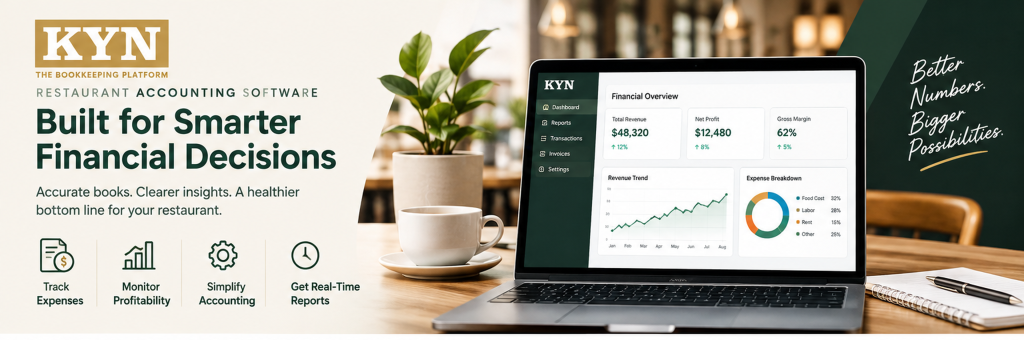
Restaurant accounting software for CPA firms: Connecting accounting records with day-to-day restaurant performance.
Restaurant clients ask CPA firms questions a standard financial statement doesn’t answer: which location is underperforming, why food cost moved, and how much cash is on hand. KYN was built by operators who ran 170+ restaurant locations before writing a line of code, and works alongside QuickBooks, Xero, or NetSuite to answer exactly those questions, location by location. For the concept behind this, see What Does “Know Your Numbers” Mean?
Why Do Restaurant Clients Need Specialized Financial Support?
Restaurants don’t operate like most other small businesses. A single restaurant can generate hundreds or thousands of transactions a day, manage a largely hourly workforce, purchase inventory frequently, and deal with food and labor costs that shift week to week. Add multiple locations, and the reporting load multiplies.
For CPA firms, producing accurate financial statements is only one part of serving these clients. Restaurant owners also want practical answers:
- How profitable is each location?
- Why did food cost increase?
- Are labor costs under control?
- Which location is performing differently from the others?
- How much cash is available?
- What changed this week?
That information comes from more systems than a typical client’s: POS, payroll, inventory, banking, and accounting each hold one piece of it. Connecting those pieces is the gap restaurant accounting software for CPA firms is designed to close, alongside the accounting system rather than replacing it.
What Financial Reporting Challenges Do CPA Firms Face With Restaurant Clients?
Why Does Multi-Location Reporting Create Complexity?
A restaurant client with one location may have a fairly simple reporting structure. A client with 20 locations is a different job entirely, with multiple entities, shared expenses, and locations performing differently from one another.
Multi-location functionality — consolidated reporting, shared expense allocation, and location-level comparisons — is what makes multi-location restaurant accounting manageable, instead of assembled by hand each month. Multi-Location Restaurant Reporting Explained breaks down what a consolidated roll-up should include.
Why Do Restaurant Costs Change So Quickly?
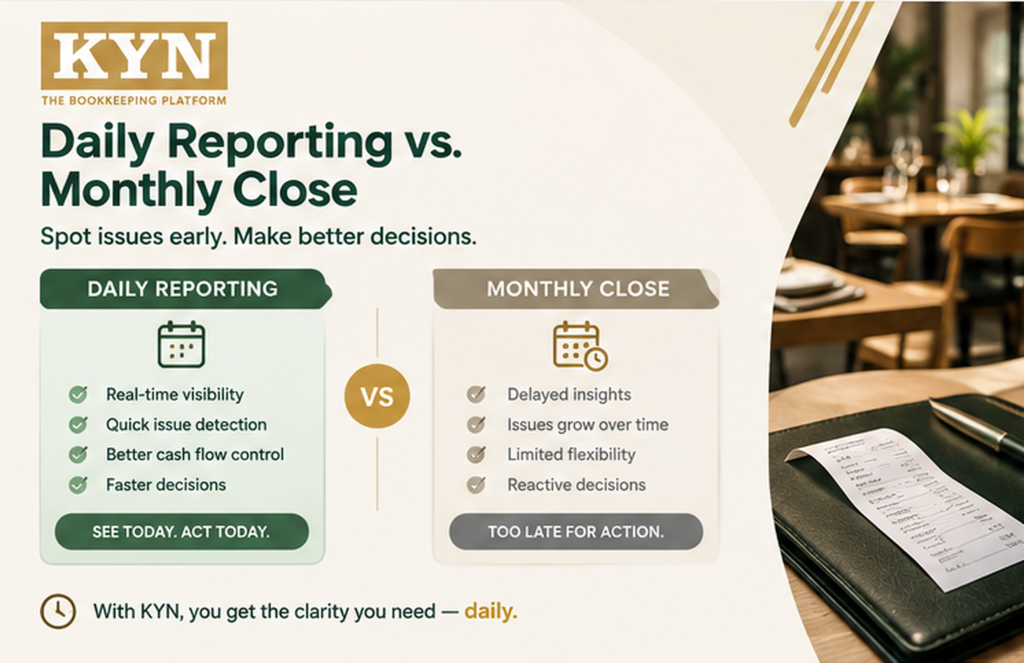
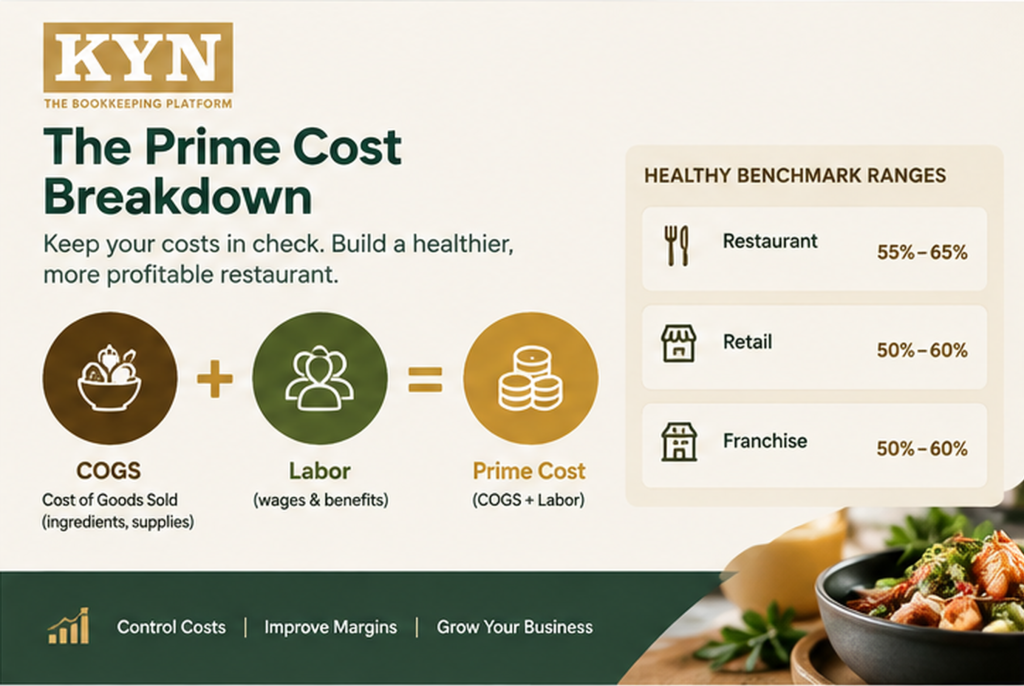
Food and labor costs move fast, and lately they’ve been moving in the wrong direction. In the National Restaurant Association’s 2025 Restaurant Operations Data Abstract, full-service labor costs ran a median of 36.5% of sales, limited-service prime cost (food plus labor) ran a median of about 65 cents of every sales dollar, and median pre-tax income was just 2.8% for full-service restaurants and 4.0% for limited-service. At margins that thin, a CPA firm that only reports after the month closes is often explaining a problem that’s already too late to fix.
For CPA firms, that means restaurant clients want more than a monthly explanation of what already happened — they want to know why labor increased and whether sales growth is keeping pace with expenses. Specialized restaurant financial software organizes these KPIs into a day-to-day format.
Restaurant Accounting Software for CPA Firms: What It Should Include
When evaluating restaurant accounting software for CPA firms, look for capabilities across three areas:
- Core accounting — general ledger, financial statements, account management, journal entries, audit trails, period controls.
- Restaurant financial management — food cost tracking, labor cost tracking, prime cost, cash visibility, sales reporting, and inventory-related reporting.
- Multi-location management — consolidated reporting, location-level P&Ls, shared expense allocation, entity management, and cross-location comparisons.
Restaurant operators also track KPIs a general accounting report won’t surface on its own: sales, food cost percentage, labor cost percentage, prime cost, cash position, inventory variance, and operating margin. KYN’s platform tracks all seven automatically, so a firm isn’t rebuilding a tracking sheet for every restaurant client.
How Does Specialized Software Improve Restaurant Financial Reporting for CPA Firms?
Clearer Dashboards Instead of Long Reports
Restaurant owners don’t always want a long financial report — they want the important numbers summarized clearly. A simple comparison like the one below can start a more focused conversation than a page of ledger accounts:
| KPI | Location A | Location B |
|---|---|---|
|
Sales |
$150,000 |
$135,000 |
|
Food Cost % |
30% |
34% |
|
Labor Cost % |
27% |
32% |
|
Prime Cost % |
57% |
66% |
|
Cash Position |
$42,000 |
$31,000 |
A dashboard like this helps an accountant and a restaurant owner identify which operational metrics need attention first, instead of working through dozens of accounts to get there.
Faster Access to Client Financial Data
If a CPA has to request several spreadsheets before answering a client’s question, the process slows down. KYN works alongside accounting systems such as QuickBooks, Xero, and NetSuite — the goal isn’t to replace the firm’s accounting workflow, but to add a layer connected to the books it already keeps, not separate from them.
Multi-Location Visibility That Explains the Numbers
This matters most for CPA firms with restaurant groups. A consolidated report might show a 15-location group is profitable overall without explaining why one store carries higher food and labor costs than another with similar sales. KYN’s platform includes multi-location roll-ups, location comparisons, and shared expense allocation, using the same standardized KPIs covered in How To Compare Restaurant Performance Across Locations.
What Do CPA Firms Actually Get From KYN?
For a CPA firm, the value shows up in how it serves CPA restaurant clients day to day. Take a firm with one restaurant client running three locations. Normally, the firm sees a consolidated P&L about three weeks after close. With KYN, the CPA logs in Monday morning, sees Saturday’s prime cost at all three locations, and flags the one running over target before the trend costs another week of margin.
That access can be scoped for outside accountants: Security & Trust covers role-based, view-only access, so a CPA firm sees a client’s numbers without touching the general ledger. KYN also consolidates across entities, so one login can roll up several clients’ locations. Accountants & Bookkeepers covers what that setup looks like in practice.
SEE WHAT YOUR RESTAURANT CLIENTS LOOK LIKE ON KYN
A 15-minute live walkthrough. No obligation. No credit card required.
What Is a Practical Workflow for CPA Firms Serving Restaurant Clients?
A CPA firm serving restaurant clients can structure its technology workflow around four repeatable stages:
- 1. Collect — bring together accounting data, POS data, payroll data, inventory information, and banking information.
- 2. Standardize — create consistent charts of accounts, location structures, KPI definitions, reporting periods, and expense categories.
- 3. Monitor — track sales, food cost, labor cost, prime cost, cash, profitability, and location performance.
- 4. Advise — use the information to discuss cost changes, location differences, labor trends, cash requirements, budget performance, and operational opportunities.
This creates a repeatable process the firm can apply across every restaurant client, rather than rebuilding a reporting approach from scratch each time.
What Should CPA Firms Look for When Choosing Restaurant Software?
Before selecting CPA software for restaurants, firms can weigh a handful of practical questions:
- Integration — does it work with the accounting and operational systems clients already use?
- Multi-location capability — can it manage multiple locations and entities?
- Restaurant KPIs — does it understand food cost, labor cost, and prime cost specifically?
- Reporting — can reports be viewed by location, entity, region, or consolidated group?
- Data security — role-based access controls, encrypted connections, audit visibility, data isolation, and backup and recovery planning.
- Scalability — can it support a client as the restaurant group grows?
These questions help firms evaluate software against actual client requirements rather than a generic feature list.
Common Mistakes CPA Firms Make With Restaurant Clients
- Treating restaurants like a typical small business. Hundreds of daily transactions and an hourly workforce need a different reporting cadence than a standard retainer client.
- Reporting only once a month. By the time the P&L closes, the week that lost money is already over.
- A different chart of accounts at every location. Comparing locations then means rebuilding the numbers by hand each time.
- No shared KPI definitions across locations. If “food cost” is calculated differently at each unit, comparisons aren’t reliable.
- One-off spreadsheets per client. A tracking sheet rebuilt from scratch for every new client doesn’t scale.
GIVE RESTAURANT CLIENTS THE VISIBILITY THEY’RE ASKING FOR
Location-level food cost, labor cost, prime cost, and cash visibility — alongside the QuickBooks, Xero, or NetSuite books your firm already manages.
Book a Demo · kynusa.com · 267 328-6127
FAQs
1 What is restaurant accounting software for CPA firms?
2 Why do CPA firms need restaurant-specific software?
3 What restaurant KPIs should CPA firms monitor?
4 Can restaurant software work with QuickBooks?
5 Can CPA firms manage multiple restaurant locations?
6 Is restaurant financial software a replacement for a CPA?
The Bottom Line
Restaurant clients need financial information that reflects how their businesses actually operate. KYN gives CPA firms a real-time layer on top of the books they already keep — food cost, labor, prime cost, cash, and location performance, updated daily instead of at month-end. The goal isn’t to replace accounting expertise; it’s to give the firm and the client better numbers for a better weekly conversation.
Know Your Numbers. Grow With Confidence. — kynusa.com
Sources
- National Restaurant Association, 2025 Restaurant Operations Data Abstract — restaurant.org
Know Your Numbers. Grow With Confidence. — kynusa.com